Picking a business data API means choosing between very different shapes of the same job: a scraper marketplace, a no-code enrichment table, a proxy layer, an email finder, a UI list builder, or a dedicated API. Each one returns "business data," but the starting point, the output contract, and what happens to contact emails vary a lot between them. This guide compares 11 providers side by side on what they actually return, so you can pick the one that matches your workflow instead of discovering the mismatch after you have integrated it.
biz collect is one of the 11 tools compared on this page, and the biz collect team wrote this comparison. We have tried to describe every competitor fairly and to flag where another tool is the better choice - two of the recommendations below name a competitor, not biz collect - but you should weigh that this page was written by a vendor, not an independent analyst, and verify anything that matters to your decision against each provider's own documentation.
The 11 Tools at a Glance
| Tool | Category | What it returns | Contact emails | Pricing model |
|---|---|---|---|---|
| Google Places API | Official Google place data API | Authoritative place objects: name, address, phone, hours, ratings | Not returned; place attributes only | Per-request pricing from Google |
| Apify | Scraper marketplace & automation platform | A structured dataset; schema varies by the Actor you run | Depends on the Actor; often a separate step | Platform fee plus per-Actor economics |
| Bright Data | Enterprise proxy network, datasets & scraper APIs | Structured JSON or CSV; shape varies by product | Depends on the dataset or scraper workflow | Varies by product, volume, and delivery |
| Outscraper | Google Maps data & scraping service | Maps data exports (JSON/CSV); shape varies by request | Listing-focused; coverage depends on the job | Usage-based for extraction |
| SerpApi | Real-time SERP & Google Maps results API | Raw SERP/Maps JSON you dedupe and normalize | Not included; you enrich the result yourself | Usage-based search plans |
| ScraperAPI | Proxy & web scraping API | Raw pages, or structured JSON/CSV from select endpoints | Not built in; a step you add on top | Usage-based scraping plans |
| Clay | No-code GTM enrichment workspace | Rows in a table you export or sync to other tools | Strong, via multi-provider waterfalls | Plan plus credit usage per enrichment |
| Hunter.io | Email finder & domain search | Emails plus source metadata for a domain you supply | Finds emails for a known domain or person | Plan plus request/credit usage |
| PhantomBuster | Browser automation & social scraping | Phantom outputs (CSV/JSON), one per automation | Profile and list data from social automations | Plan plus automation usage |
| D7 Lead Finder | Local business lead list builder | An on-screen list with CSV/Excel/PDF export | Returns listing fields and social links | Plan-based list credits |
| biz collect | API-first local business search & contact enrichment | One stable JSON schema (20+ fields), OpenAPI 3.1 | Built in: emails and socials scraped from each site, deduped | Free tier, then credit-based plans from $19/mo (annual) |
How We Evaluated These Tools
This is a vendor-authored comparison, built from each provider's public product documentation, not an independent lab test. We compared all 11 tools on the same seven dimensions, chosen because they are the practical differences that decide whether a tool fits your workflow:
- Primary model - what the product fundamentally is: a marketplace you operate, a no-code table, a proxy layer you build on, or a finished API.
- Data freshness - whether data is fetched live per request, per scheduled run, or per dataset snapshot.
- Email and contact enrichment - whether website emails are extracted as a built-in step, an optional add-on, or not offered at all.
- Output format and schema stability - whether the response is a fixed, documented JSON schema or a shape that varies by Actor, endpoint, or export.
- Setup and operational effort - what you have to configure, select, or maintain before you get usable data.
- Automation and agent compatibility - how easily the tool slots into a script, a no-code workflow tool, or an AI agent's tool-calling loop.
- Pricing model - the shape of how you pay (platform fee, usage-based, plan plus credits), not exact prices, which change and which we have not independently verified for every provider.
Where a provider's exact pricing, plan names, or record counts were not something we could verify at the time of writing, we wrote "check current pricing" or described the pricing model in words instead of citing a number.
Google Places API
What it is. The Google Places API is Google's own endpoint for place data - names, categories, addresses, phone numbers, websites, ratings, and opening hours, sourced directly from Google's index. It is billed per request, and Google's Terms of Service place conditions on how the data you get back may be stored, cached, and displayed.
Strengths
- First-party data straight from Google, not a third-party scrape or index.
- Broad global coverage with well-documented, stable endpoints.
- Rich place attributes, including ratings, reviews, and opening hours.
- Official support and predictable, per-request billing.
Trade-offs for this job
- The Places API itself returns no email field - contact emails come only from visiting each business's own website, not from Google's index.
- Its Terms of Service constrain how place data may be stored and cached, which you have to design your storage layer around.
- You handle search, pagination, and deduplication across requests yourself; there is no single job that covers a whole city-plus-keyword-plus-radius search.
Best for. Teams that only need canonical place attributes - not website-derived contact emails - and whose storage needs comfortably fit inside the Places API Terms of Service. Read the full biz collect vs Google Places API comparison for the detailed breakdown.
Apify
What it is. Apify is a marketplace and execution platform for "Actors" - cloud programs that take structured JSON input and produce structured output. The Apify Store hosts public Actors for many sites, including Google Maps and local-directory scrapers, and you can build and host your own when nothing public fits. Running one usually means choosing an Actor, configuring its input, and integrating whatever it returns.
Strengths
- Wide breadth: a marketplace of Actors covering many sites and data types, not only local listings.
- Real developer infrastructure - storage, scheduling, proxies, a documented API and CLI.
- You can build a custom Actor when no public one matches your target.
- A strong fit when your scraping targets change from project to project.
Trade-offs for this job
- Whether email extraction happens at all depends on which Actor you pick, and some require an extra step to visit each business site.
- Output schema varies by Actor, so you own field mapping across the Actors you use.
- You are responsible for selecting, configuring, and monitoring the Actor over time.
Best for. Teams that scrape many different, varied sites - not just local business listings - and want a reusable execution platform with scheduling and proxies built in. Read the full biz collect vs Apify comparison for the detailed breakdown.
Bright Data
What it is. Bright Data is an enterprise web-data platform: a large proxy network, web-access and scraper APIs that handle unblocking and dynamic content, plus pre-built scrapers and ready-made datasets you can buy. Its scraper APIs can return structured JSON or CSV from many sites, including Google Maps, in synchronous or asynchronous modes.
Strengths
- Enterprise-scale infrastructure built for high request volume.
- Broad coverage across many websites, plus purchasable ready-made datasets.
- Structured JSON or CSV output from pre-built scraper APIs.
- A strong fit for data-engineering teams with formal procurement needs.
Trade-offs for this job
- Website email extraction depends on which dataset or scraper workflow you assemble, not a single fixed behavior.
- Output shape varies by which product (proxies, datasets, browser APIs, scraper APIs) you choose.
- The platform's product surface is broad, which means more decisions when your only need is local business contacts.
Best for. Teams that need enterprise-scale web access across many sources, where local business data is one slice of a larger data-acquisition strategy. Read the full biz collect vs Bright Data comparison for the detailed breakdown.
Outscraper
What it is. Outscraper is a data-extraction service focused on Google Maps and related public data. It offers APIs and bulk tools that pull business listings - names, categories, addresses, phones, websites, and reviews - with options for large batch exports, aimed at teams that want Maps data at volume without operating their own scraping stack.
Strengths
- Focused specifically on Google Maps data, with APIs and bulk export options.
- Handles large batch jobs for teams that need volume.
- Returns rich listing fields, including reviews and place attributes.
- A practical way to get Maps data without building scrapers in-house.
Trade-offs for this job
- Outscraper is listing-focused; website email coverage depends on the specific job you configure, rather than being a fixed part of every extraction.
- Output is a Maps data export whose exact shape can vary by request type.
- You configure the extraction job or bulk export yourself for each pull.
Best for. Teams whose primary need is bulk Google Maps data extraction and export, including rich listing fields like reviews. Read the full biz collect vs Outscraper comparison for the detailed breakdown.
SerpApi
What it is. SerpApi is a real-time search-results API. You send a query and it returns structured JSON for Google surfaces including organic results, the Local Pack, and Google Maps, while handling proxies, CAPTCHAs, and layout changes for you. Its Maps and Local endpoints return place results - titles, ratings, review counts, coordinates, addresses, phones, and hours - as JSON.
Strengths
- Real-time, structured JSON across many Google surfaces, not just Maps.
- Handles proxies, CAPTCHAs, and layout changes so you do not have to.
- A strong fit for SEO and SERP monitoring where you need exactly what Google shows.
- Well-documented, predictable, query-driven endpoints.
Trade-offs for this job
- Website email extraction is not included; SerpApi returns listing fields, and enrichment is a step you build yourself.
- The response is the raw SERP or Maps result - deduplication and normalization across queries is on you.
- You typically query, paginate, and dedupe before you can enrich each business's website.
Best for. Teams that need raw, real-time SERP or Maps results exactly as Google shows them, across many surfaces beyond local listings. Read the full biz collect vs SerpApi comparison for the detailed breakdown.
ScraperAPI
What it is. ScraperAPI is a web scraping and proxy API. It handles rotating proxies, browsers, retries, and anti-bot challenges so you can fetch pages reliably at scale, and it also offers structured-data endpoints - including a Google Maps search endpoint - plus a DataPipeline feature for scheduling scraping projects and delivering results to a webhook or dashboard.
Strengths
- A robust proxy and unblocking layer that handles CAPTCHAs and IP blocks.
- Structured data endpoints, including Google Maps search, return JSON or CSV.
- DataPipeline schedules scraping projects with webhook or dashboard delivery.
- A flexible foundation when your scraping targets are varied and change.
Trade-offs for this job
- Website email extraction is not built in; it is a step you add on top of fetched pages.
- You build the pipeline: fetch, parse, dedupe, and enrich are separate steps you assemble.
- Output is raw pages or structured data from select endpoints, not a single dedicated business-record schema.
Best for. Teams building custom scraping pipelines across varied sites who want a reliable unblocking layer underneath their own logic. Read the full biz collect vs ScraperAPI comparison for the detailed breakdown.
Clay
What it is. Clay is a no-code, spreadsheet-style workspace for go-to-market data work. You import or build a table of companies or people, add enrichment columns, and Clay pulls details such as verified emails, company information, and social profiles from many integrated providers, including waterfall enrichment that queries providers in order and stops at the first valid result.
Strengths
- Excellent for humans who want to inspect, edit, and iterate on lead data visually.
- Waterfall enrichment across many providers maximizes coverage on a given row.
- Deep GTM integrations to push enriched records into a CRM or outreach tool.
- AI research and formula columns let non-engineers build sophisticated workflows.
Trade-offs for this job
- Clay enriches a list you already have; it does not discover businesses for you from a city-plus-keyword search.
- Its primary interface is the table - automating it end to end is possible, but the spreadsheet is where it is strongest.
- Coverage and cost depend on which providers your waterfall queries, rather than one fixed enrichment step per job.
Best for. Teams that already have a list and need to enrich, score, and route it, especially where a human wants to inspect and iterate on rows visually. Read the full biz collect vs Clay comparison for the detailed breakdown.
Hunter.io
What it is. Hunter.io is an email-finding tool. Its Domain Search returns the email addresses associated with a domain, with sources and metadata, and its Email Finder returns the most likely address for a named person at a domain, with a confidence score - all working from public data and pattern recognition.
Strengths
- Strong, focused email discovery for domains and named people.
- Confidence scores and sources help you judge deliverability.
- Distinguishes personal addresses from generic, role-based ones.
- A clean JSON API that slots into outreach and CRM workflows.
Trade-offs for this job
- Hunter starts from a domain or company you already have; it does not discover matching businesses from a city-plus-keyword search.
- It returns email addresses and metadata, not full business records like address, phone, hours, and ratings.
- You need to source the company list before Hunter can find emails for it.
Best for. Teams that already have a list of domains or companies and need verified emails for named people at those companies. Read the full biz collect vs Hunter.io comparison for the detailed breakdown.
PhantomBuster
What it is. PhantomBuster is a browser-automation platform built around "Phantoms" - cloud automations that act on web platforms, especially social networks like LinkedIn. Phantoms can extract profiles and lists, send connection requests, and run message sequences, and you can chain them into workflows that scrape leads, enrich them, and reach out, running on a schedule in the cloud.
Strengths
- Deep social-network automation, especially around LinkedIn workflows.
- Cloud Phantoms run on a schedule without your computer on.
- Chained workflows combine scraping, enrichment, and outreach sequences.
- AI-assisted message writing for personalized social outreach.
Trade-offs for this job
- PhantomBuster's data source is social-platform profiles you automate against, not Google Places search plus each business's own website.
- You configure and supervise Phantoms, sessions, and sequences rather than calling one stable endpoint.
- Because social platforms have their own terms and anti-automation systems, operating Phantoms responsibly is part of the workflow you own.
Best for. Teams whose prospecting motion runs on social networks like LinkedIn, where automated profile capture and message sequencing matter as much as the underlying data. Read the full biz collect vs PhantomBuster comparison for the detailed breakdown.
D7 Lead Finder
What it is. D7 Lead Finder turns a keyword and a location into a list of local businesses in a dashboard. You enter something like "dentist" and "Austin, TX," and it returns matching businesses with name, email, website, phone, address, and social links, which you can filter and export to CSV, Excel, or PDF for outreach.
Strengths
- Fast keyword-plus-location list building in a simple dashboard.
- Returns common business fields plus social links in one place.
- Filters and CSV/Excel/PDF export make lists easy to hand off.
- Approachable for marketers and agencies who prefer a UI to code.
Trade-offs for this job
- D7 is UI-first: you run a search, filter, and download, rather than calling an API from a script or agent.
- There is no async job model to poll for large or slow searches - you work with what the dashboard returns.
- It is built for a person to operate by hand, not for a backend or automation tool to call directly.
Best for. Marketers and agencies who want a quick, exported lead list from a dashboard, with no code or API required. Read the full biz collect vs D7 Lead Finder comparison for the detailed breakdown.
Where biz collect Fits
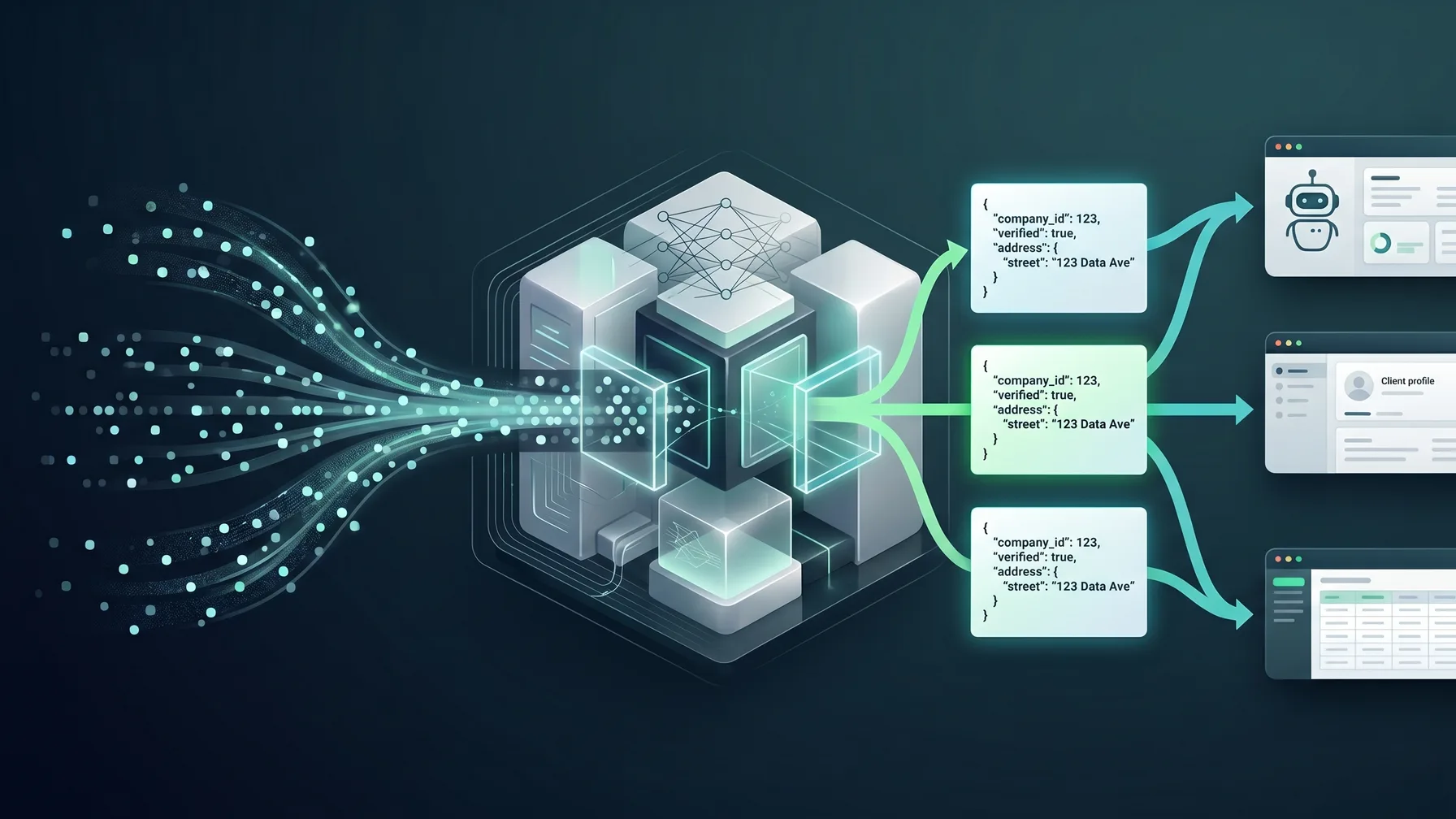
What it is. biz collect is an API-first business data source. You send one POST request to /api/v1/search with a location, keywords, and radius; the API runs a Google Places search, then visits each matching business's website to extract and dedupe emails, social profiles, and outgoing links. You either poll GET /api/v1/jobs/{job_id} for the result or set wait: true to block on a single synchronous call, which is the pattern built for AI agents and tool-calling. The full contract is documented in an OpenAPI 3.1 spec, with llms.txt and llms-full.txt versions for agent discovery.
Strengths
- Website email and contact enrichment is built into every job: emails are ranked and deduped, and
email_detailsadds MX-based deliverability confidence and flags role inboxes likeinfo@. resolve_contactsturns the same scraped pages into named, salutation-ready contacts (first and last name, title, gender, a German salutation, confidence, and an evidence URL) at no extra credit cost.coverage: "exhaustive"subdivides a search radius into a grid of tiles to escape Google's 60-result cap per query, with amax_creditsspend cap so cost stays bounded.scrape_mode: "respectful"honors each site's robots.txt per RFC 9309 by default;render_fallbackre-fetches JavaScript-built sites through a headless renderer when a plain-HTML scrape finds nothing.
Trade-offs for this job
- biz collect only covers business discovery and website-derived contact enrichment - it does not scrape arbitrary, unrelated sites the way a general scraper platform does.
- There is no visual, spreadsheet-style UI for inspecting and iterating on rows the way Clay or D7 Lead Finder offer; it is built to be called from code.
- Email quality depends on what a business publishes on its own website: a business with no website, or one that only lists a generic
info@address with no named person nearby, will return little or no named-contact data.
Best for. Scripts, AI agents, and automations that need to turn a city-plus-keyword-plus-radius search directly into contact-ready, deduped JSON records, without operating a scraper or a spreadsheet.
Which One Should You Pick
- You need a local lead list for a sales campaign and want an API, not a UI. biz collect fits: one call covers a city-plus-keyword-plus-radius search and returns deduped, contact-ready JSON.
- You already have a spreadsheet of leads and need to enrich, score, and route it. Choose Clay - its waterfall enrichment and GTM integrations are built for exactly that starting point.
- You only need canonical Google place attributes and no website emails at all. Call the Google Places API directly - there is no reason to add a layer on top if you are already comfortable within its Terms of Service.
- Your prospecting motion runs on LinkedIn, not local search. Choose PhantomBuster - its Phantoms are built for social-network profile capture and message sequencing, which a business-data API does not attempt.
- You already have a list of domains and just need verified emails for named people. Choose Hunter.io - it is a focused email finder, not a business-discovery tool, and that is the more direct fit when you already have the company list.
- You scrape many varied, non-local-business sites as part of a broader data strategy. Apify or Bright Data are the better foundation - a focused business-data API is the wrong tool when your targets change project to project.
- You want a quick list from a dashboard with no code and no API key. D7 Lead Finder is built for exactly that: search, filter, and export to CSV, Excel, or PDF by hand.
Fields, Architecture, and Compliance Basics
Fields to expect. Most providers in this category return some mix of business name, address, phone, website, category, opening hours, and a rating or review count. Contact-oriented providers add emails found on the business website, deduped lists, and confidence or validation metadata; firmographic-leaning providers instead emphasize domain, industry, employee range, and legal entity data. No provider is complete for every market and category, so inspect a real sample response before committing - not just the documented schema.
Architecture patterns. Integrations in this category generally follow one of four shapes. A synchronous lookup returns results in the same request, which suits lightweight enrichment but strains under longer collection work. An async job with polling - the pattern biz collect, Apify, and Bright Data's scraper APIs all use in some form - sends a request, returns a job ID, and lets the client poll or wait for completion, which makes long-running work explicit. Batch enrichment starts from a list of known records (domains, company names) and asks the API to fill in missing fields, the shape Clay and Hunter.io are built around. Human-in-the-loop review routes API results into a review queue before they touch outreach, account creation, or billing systems - worth adding regardless of which provider you choose, whenever results trigger an action on a real person or business.
Compliance questions to ask. This is not legal advice - work with qualified counsel for your jurisdiction and use case. Before wiring any provider into production, ask: what data is collected, and from what sources? Does the response include personal data, business contact data, or both? Are the emails generic role addresses, individual addresses, or a mix, and does that change what outreach rules apply? How will you handle opt-outs, deletion requests, and suppression lists? How long will results be retained, and who inside your organization can access them? And does your intended use fit the provider's own terms and acceptable-use policy - the Google Places API's storage and caching restrictions being one concrete example worth reading closely before you rely on it.
Frequently asked questions
- What is the best business data API?
- It depends on your starting point. If you need to discover local businesses from a city and keyword and get deduped contact emails back as JSON, biz collect and Outscraper are close fits. If you already have a list to enrich, Clay or Hunter.io fit better. If you only need canonical Google place data, the Google Places API directly is the simplest choice. There is no single best answer across every workflow - see the by-use-case breakdown above.
- Is there a free business data API?
- biz collect includes a free tier with 200 signup credits and 20 daily login credits, no credit card required, and polling job status never costs credits. Several other providers in this comparison also offer limited free tiers or trials - check each provider's current pricing page, since free-tier terms change.
- Which business data API returns email addresses?
- Coverage and method vary by provider. biz collect, Clay, and Hunter.io all return email addresses, but through different mechanisms: biz collect scrapes and dedupes emails from each discovered business's own website, Clay pulls from multiple integrated enrichment providers in a waterfall, and Hunter.io does pattern-based domain and person lookups. The Google Places API does not return emails at all - only place attributes.
- What is a business data API?
- An API that returns structured information about real-world businesses - name, contact details, location, and more - over HTTP, so your software can consume it directly instead of scraping pages or buying a static list.
- What is the difference between a company data API and a business data API?
- A company data API is typically firmographic-first: you start from a known company (domain or name) and enrich it with attributes like industry, employee range, and revenue. A business data API is usually discovery-first and location-aware: you start from a city, keyword, and radius and get back the matching businesses - including local, single-location ones - as contact-ready records.
- How is biz collect's data collected?
- biz collect starts from a Google Places search for your location and keywords, then visits each matching business's own website to extract emails, social profiles, and outgoing links, deduping the result. You POST to /api/v1/search and either poll /api/v1/jobs/{job_id} or set wait: true for a single synchronous call.
- Do I need to pick between these tools, or can I use more than one together?
- Many teams combine layers rather than picking one tool for everything - for example, using biz collect or Outscraper to discover local businesses, then Hunter.io for named-person emails at the most promising accounts, then Clay to route enriched records into a CRM. The right stack is usually the simplest reliable tool at each layer, not one provider doing every job.
- How do I evaluate a business data API before committing?
- Run a small proof of concept with your real cities, categories, and languages before you integrate anything. Check field coverage on a realistic sample, how the API behaves with no results, whether duplicates are easy to identify, and whether the response fits your stack without custom parsing. For an AI agent, also check whether the parameters and response fields are simple and stable enough for the model to fill and parse reliably.